
What if a single building had its own social infrastructure?
I lived in a 60-unit DUMBO building. Everyone said hi in the elevator. Almost nobody actually knew each other.
I had a hunch — small, verified communities (one building, one workplace) might be where neighborly help could actually scale. Not Nextdoor’s 10,000 strangers. Just the people who share a wall.
So I set out to prove it.
I split the work — AI took scale, interviews surfaced experience.
AI · SCALE
Wide competitive scan + synthesis
- ↳ Mapped 7+ direct, adjacent, and timebanking platforms
- ↳ Synthesized public reviews, complaints, decline patterns
- ↳ Compiled DUMBO demographics + community-trust research
ME · EXPERIENCE
First-person interviews
- ↳ 8 scheduled 30-min interviews, structured script
- ↳ 12+ hallway / elevator 1-min interviews (3 focus questions)
- ↳ Script sections: Context · Help patterns · Friction · Wishes
- ↳ Card-sorting game to surface mental models (see below)
What AI researched

- Berkeley, est. 2020 — closest direct competitor
- 0.5-mile-radius matching · address verification only
- Opening: building-level trust beats zip-code radius; currency mechanic adds reciprocity

- 1.7★ on Trustpilot across 3,045 reviews — vulnerable giant
- Top complaints: arbitrary suspensions, political bias, ad-heavy after B2B pivot
- Opening: small, trusted, ad-free communities

- 3M+ hours exchanged globally — the concept itself works
- Pitfalls: grant dependency, manager burnout, core/periphery activity decay
- Mechanics inspired Seeds; failures shaped what NOT to repeat
Other AI-driven reports
I watched, asked, and built a game to find where the friction was.
Two weeks of WhatsApp lurking, 8 scheduled interviews + 12+ hallway 1-min interviews, and a custom card-sorting game I ran live with neighbors. Three angles on the same question: where do neighbors freeze up?
Helping was happening; asking wasn’t.
Two weeks of WhatsApp lurking: give-posts every day, asks almost never. When asks did appear they were for kids — never for adult needs.
Tools neighbors already used

- ✓ WORKS
- Solves the gift loop — coffee, baby clothes, chair.
- ✗ LIMIT
- No trust layer; strangers, just stuff.

- ✓ WORKS
- Lives in every managed building's portal.
- ✗ LIMIT
- Maintenance-only. A complaint form, not a way to meet a neighbor.

- ✓ WORKS
- Every building has one. Hundreds of give-posts.
- ✗ LIMIT
- Messages disappear. Loud personalities dominate; quiet neighbors stay invisible.
What I asked in interviews
Two questions did most of the heavy lifting across 8 scheduled 30-min sessions:
Hesitation answers clustered around self-image. Trust answers clustered around time— most interviewees said they simply couldn’t trust a neighbor they hadn’t actually spent time with.
“I could do it on the app. Face-to-face damages my image.”— Neighbor A · on hesitation
→ Asking in person feels exposing; a digital layer makes it bearable.
“I won't ask while I can still do it myself.”— Neighbor B · on hesitation
→ Self-reliance is performed — the bar for 'I need help' is set too high.
“I'd need to actually know them. A face in the elevator isn't enough.”— Neighbor C · on trust
→ Familiarity, not proximity, is what unlocks trust.
“If we'd talked a few times — sure. Out of the blue? No.”— Neighbor D · on trust
→ Trust ladders up from repeated low-stakes contact, not a single big ask.
The biggest pattern wasn’t about asking — it was about trust. Trust didn’t come from proximity; it came from physical time + repeated low-stakes interactions. Events are the soil; Borrow and Favor are the fruit.
Vibe-coded UX research tool
To test where the friction was in specific tasks (not in the abstract), I built a small card-sorting web app — Claude wrote most of the React; I designed the cards from interview prep.
- 12 hypothetical asks · drag into “would ask” / “wouldn’t.”
- Run live during interviews; neighbors think aloud while sorting.
- Friction surfaces in specific tasks, not in feelings.
LIVE CARD-SORTING TOOL · DRAG TO TRY
Open in new tabCARD-SORTING EXERCISE · SUMMARY
- OK TO ASK
- Pet sitting · watering plants · dog walking
- NOT OK TO ASK
- Groceries pickup · regular kid-watching · recurring needs
- WHEN IT FLIPS
- When the neighbor is actually trusted — otherwise the answer stays “no.”
The synthesis: an inversion
People love publicly showing their generosity — but feel uncomfortable asking for things. So I let the app lead with what neighbors can offer (lend, help with, host).
Each screen is the answer to a specific finding.
Five MVP features for a community that connects neighbors and grows mutual help.


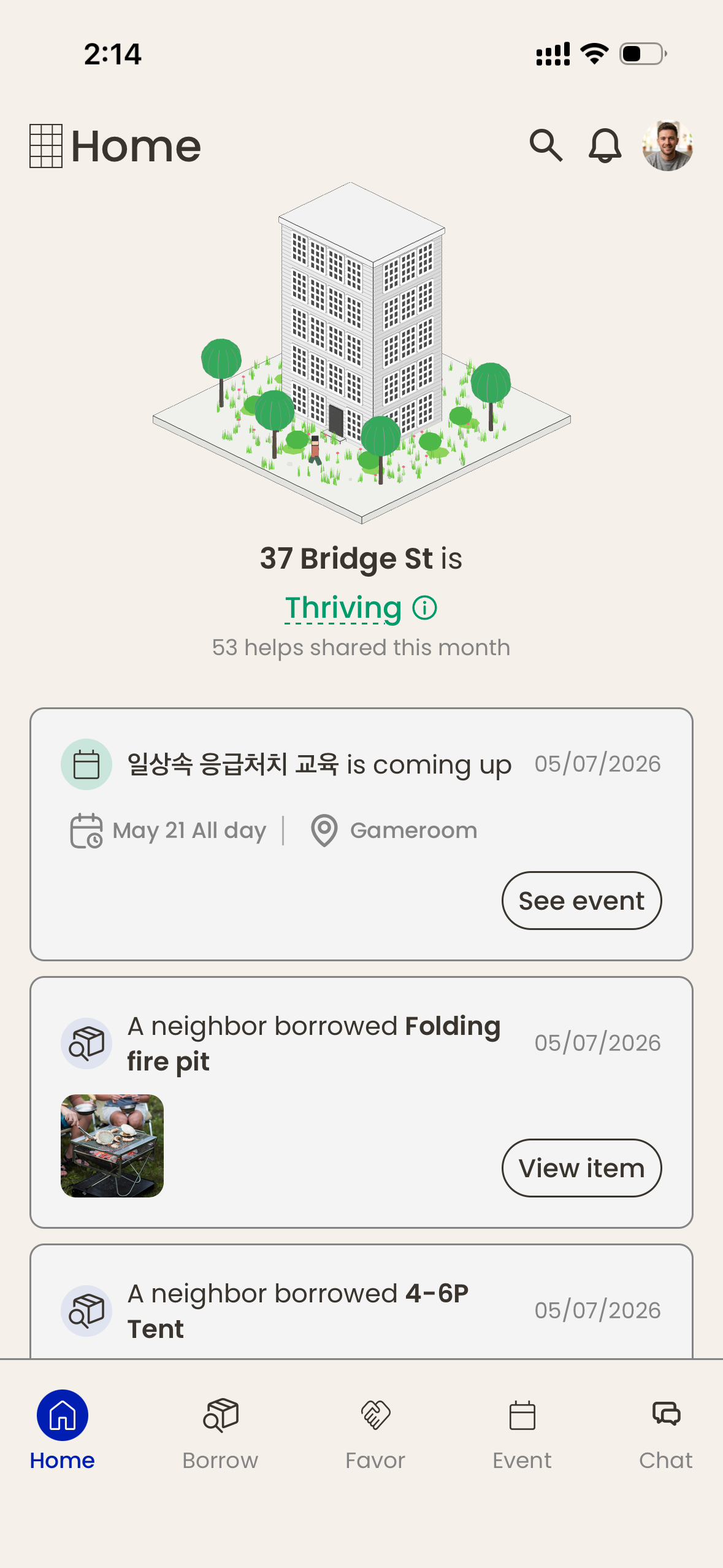
Home
01 · Feed
Serendipity
Small interactions surface in one feed — building-scale moments stay visible instead of vanishing into chat.
02 · Seed Tree
Building growth
3D visualization of monthly community activity. The tree grows as helps stack up — building life made legible.
03 · Seed Detail
Encouragement modal
Tap the tree for a modal that explains what it responds to — encouragement instead of a score.
04 · Section connectivity
Home → every section
Any feed item routes into its section: a borrow item opens in Borrow, a favor in Favor. Home is the launchpad.
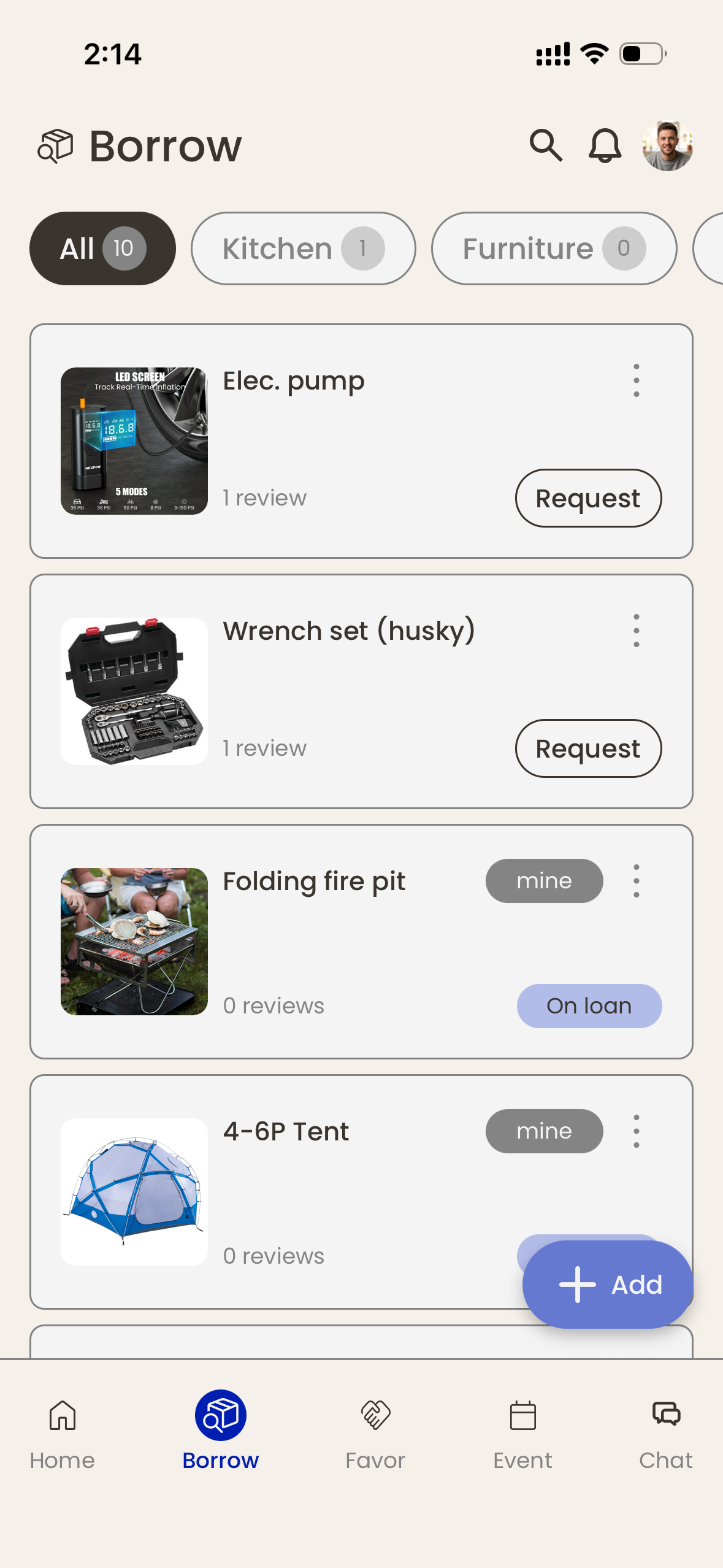
Borrow
Borrow what neighbors have, not what they're saying right now.
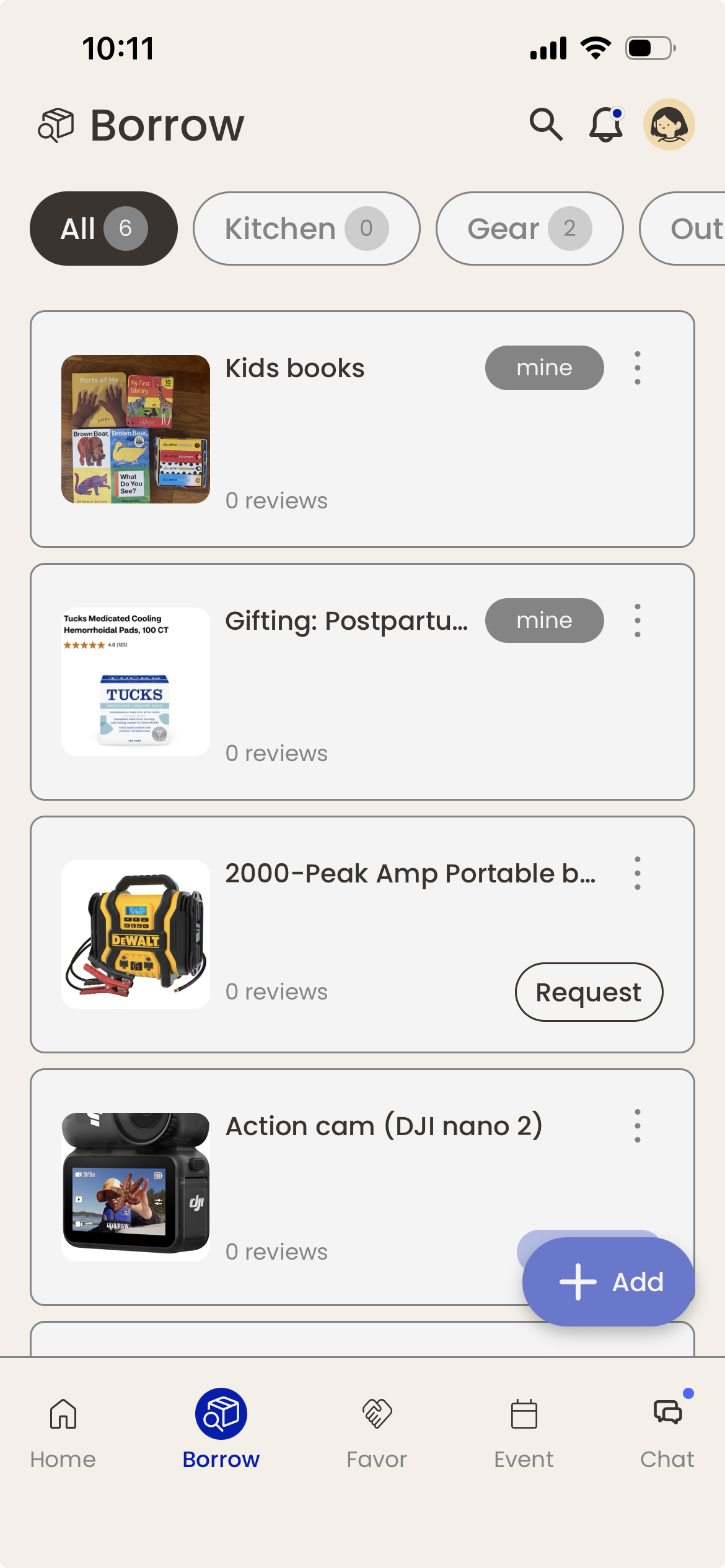
One of the loudest WhatsApp findings: messages disappear. Someone offered a portable AC last summer; nobody remembered when they needed one this June. So Borrow is structured the way chat couldn’t be — every offered item stays browsable, with availability + lending history.
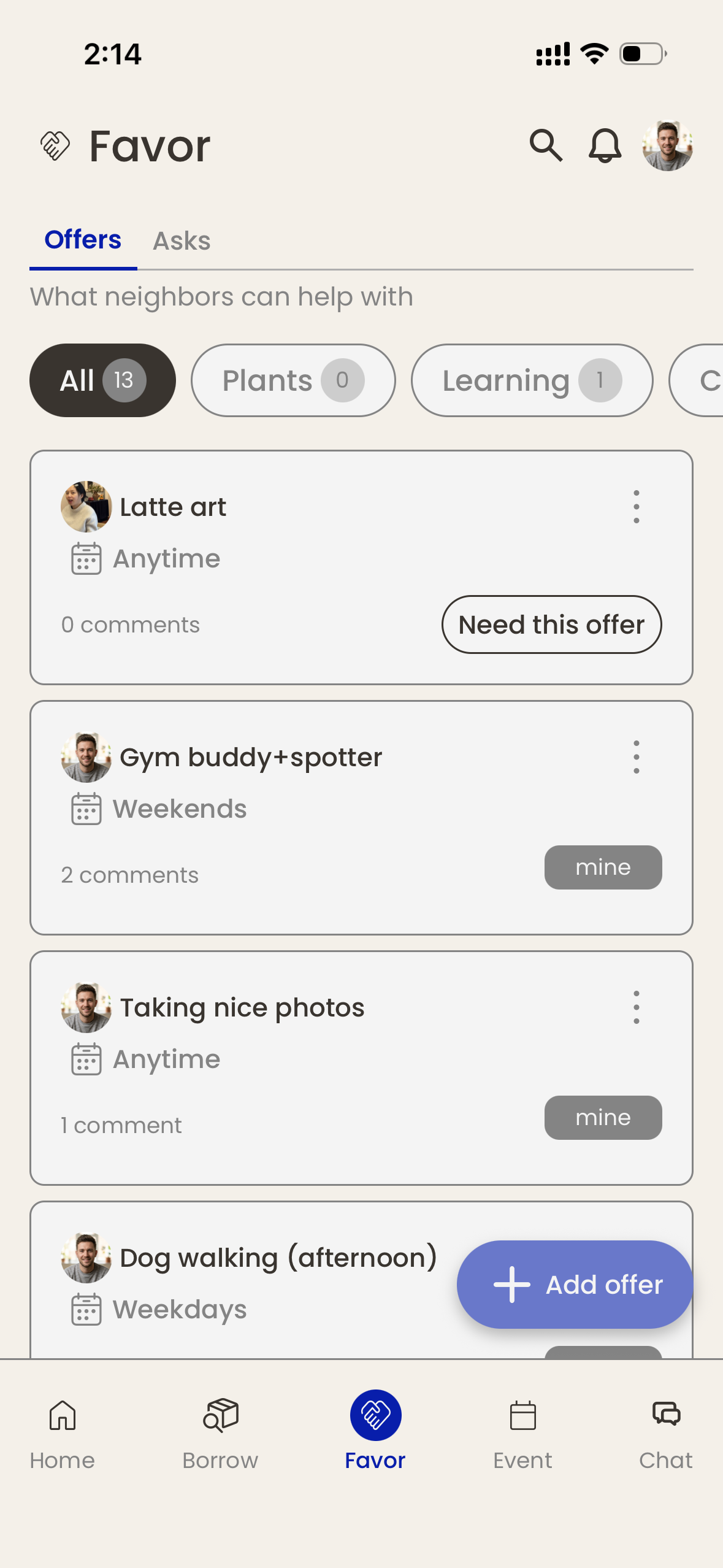
Favor
The generous action is the default tap.
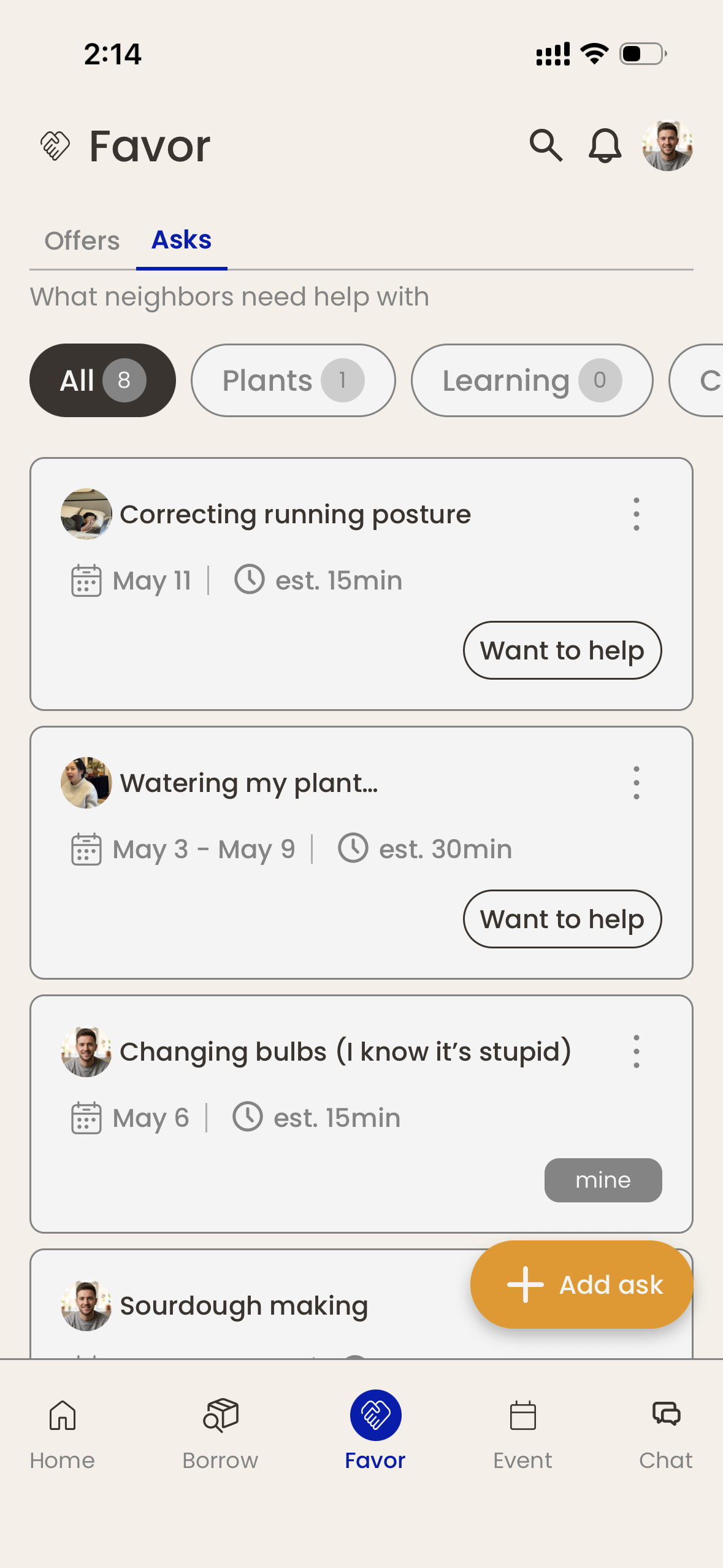
The direct UX expression of Section 04’s inversion. The Favor tab opens to “I can help with X” — never “I need help.” Both tabs exist; only one is the default. When a neighbor opens the tab, they see what others are offeringfirst. The “I need” view is one tap away — there if you genuinely need it, but never the front door.
Why? Because every default the app sets shapes behavior. If asking is hard (which all eight interviewees confirmed), don’t make it the home of this section. Make the easy action — the offer — the default, and the hard action a deliberate choice.
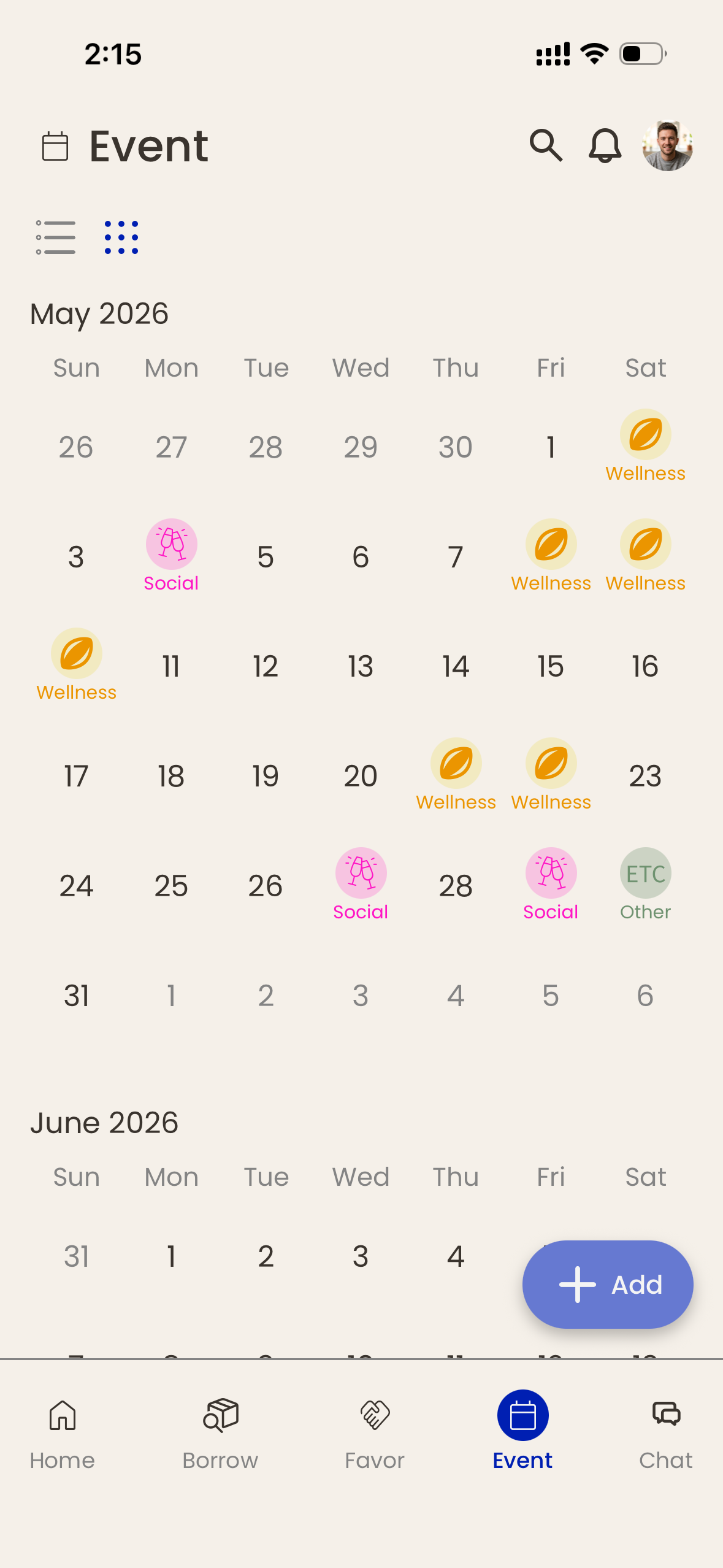
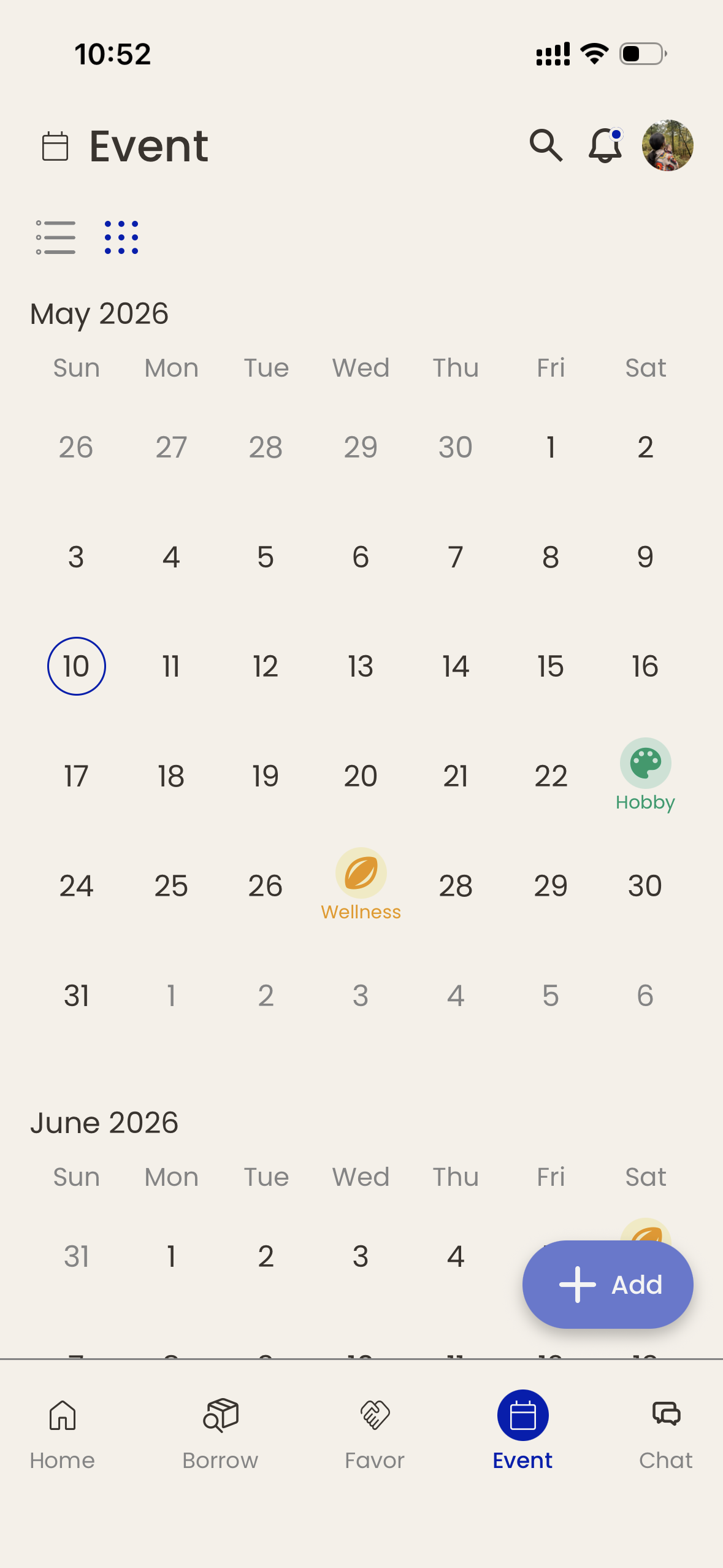
Event
The screen that pulls people out of the app.
Every interviewee — without exception — said the same thing: trust comes from face time, not from messaging. So Event is the only screen designed to pull people out of the app and into the building. It’s the spine.
Originally family-oriented; later rebuilt for young professionals when the audience shifted. You’ll see why in Section 08.
Chat
Item-tied, not direct messaging.
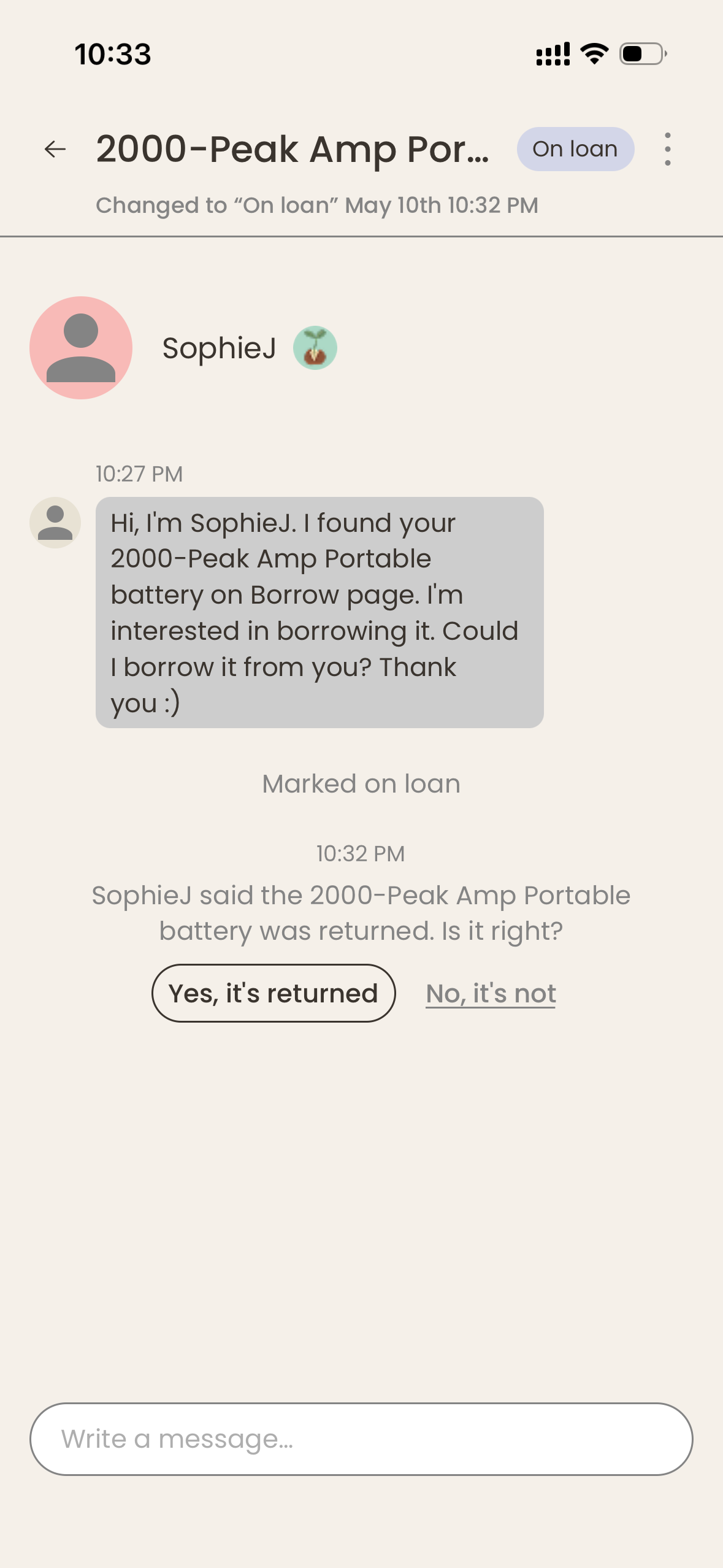
Every chat thread is scoped to a specific item, favor, or event — Airbnb pattern, not WhatsApp pattern. The thread opens when a request happens and closes when the action completes.
BORROW · CHAT ACTIONS
01
Request to borrow
Borrower taps Request on the item.
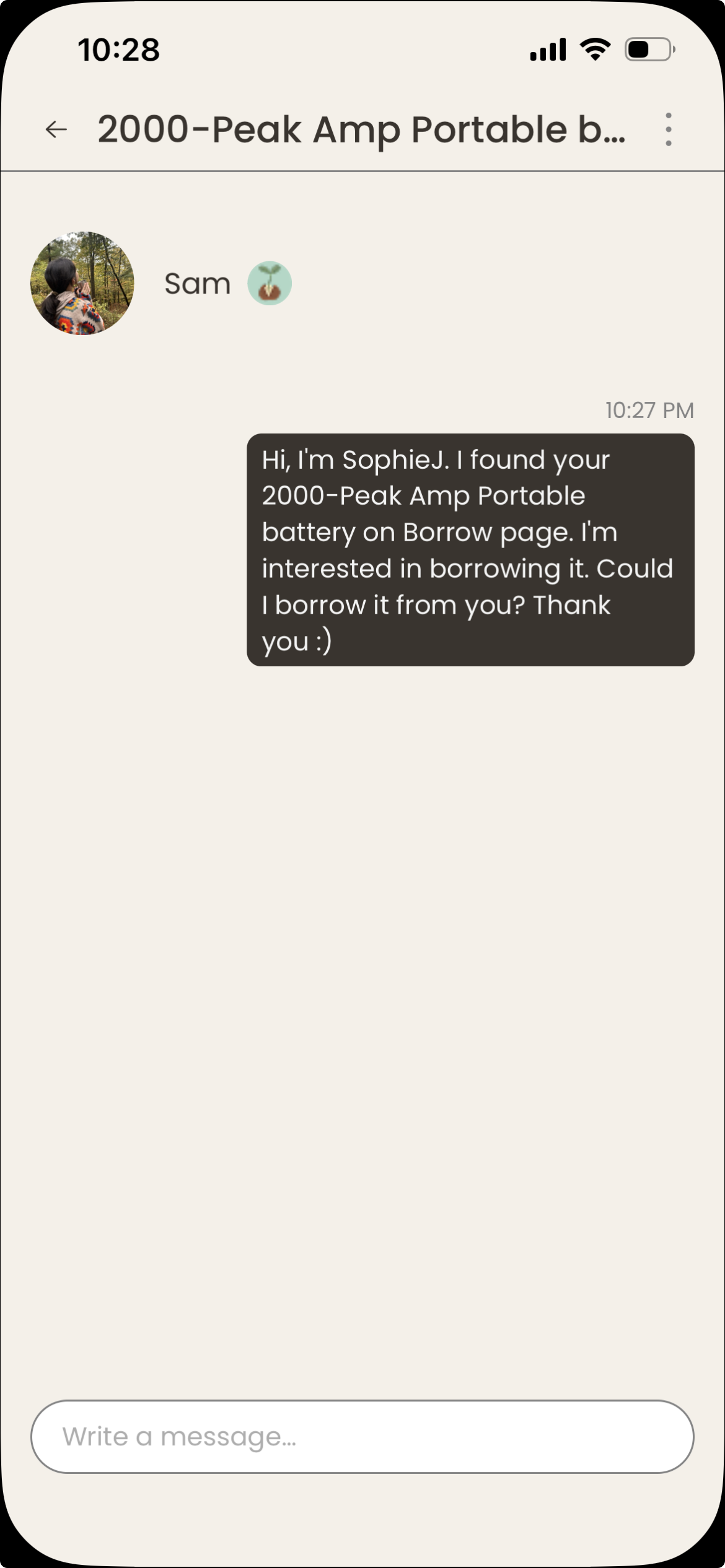
02
Chat opens
Both parties enter the item-scoped thread.
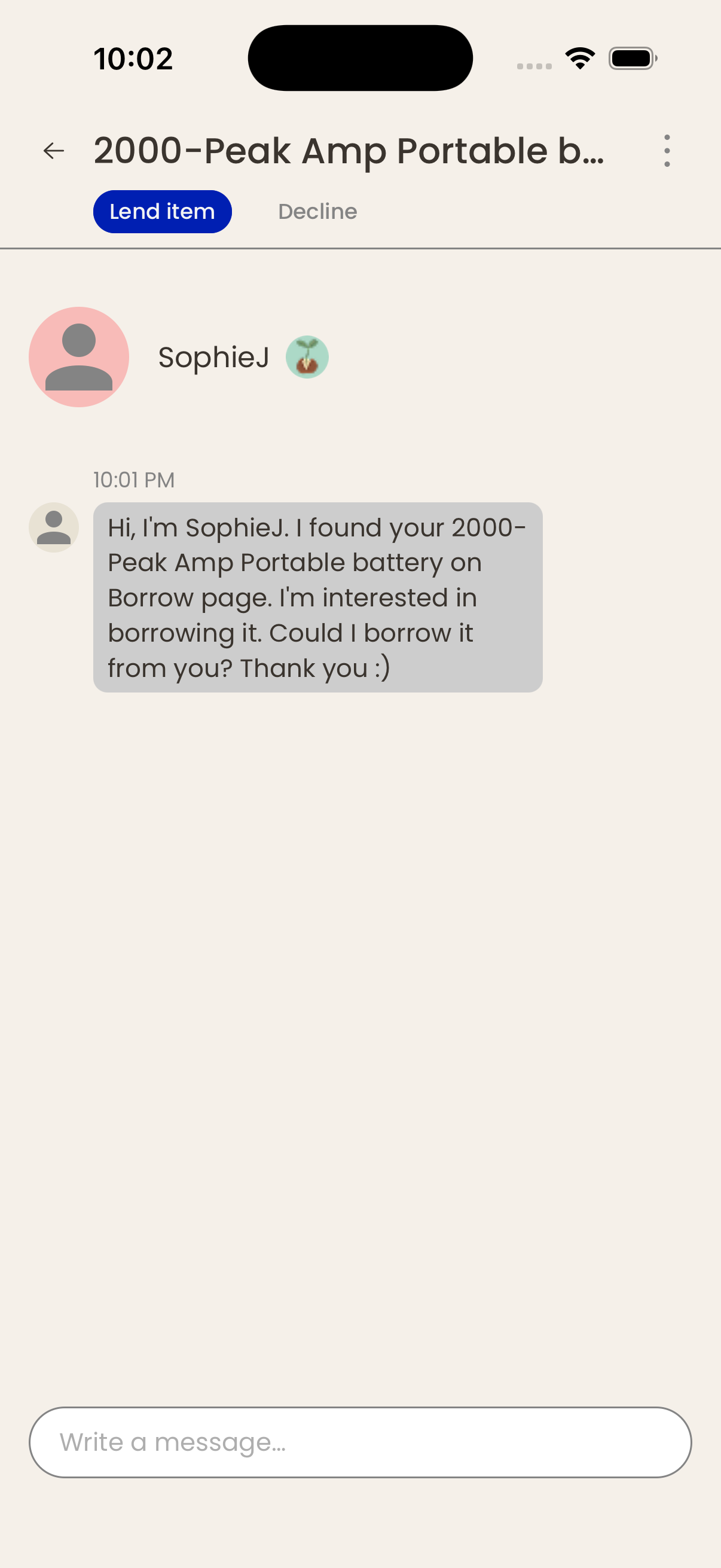
03
Owner lends item
Item moves to On loan — still visible to the building, but not bookable until it's returned.
04
Borrower returns
Marks the item returned; owner asked to confirm.
05
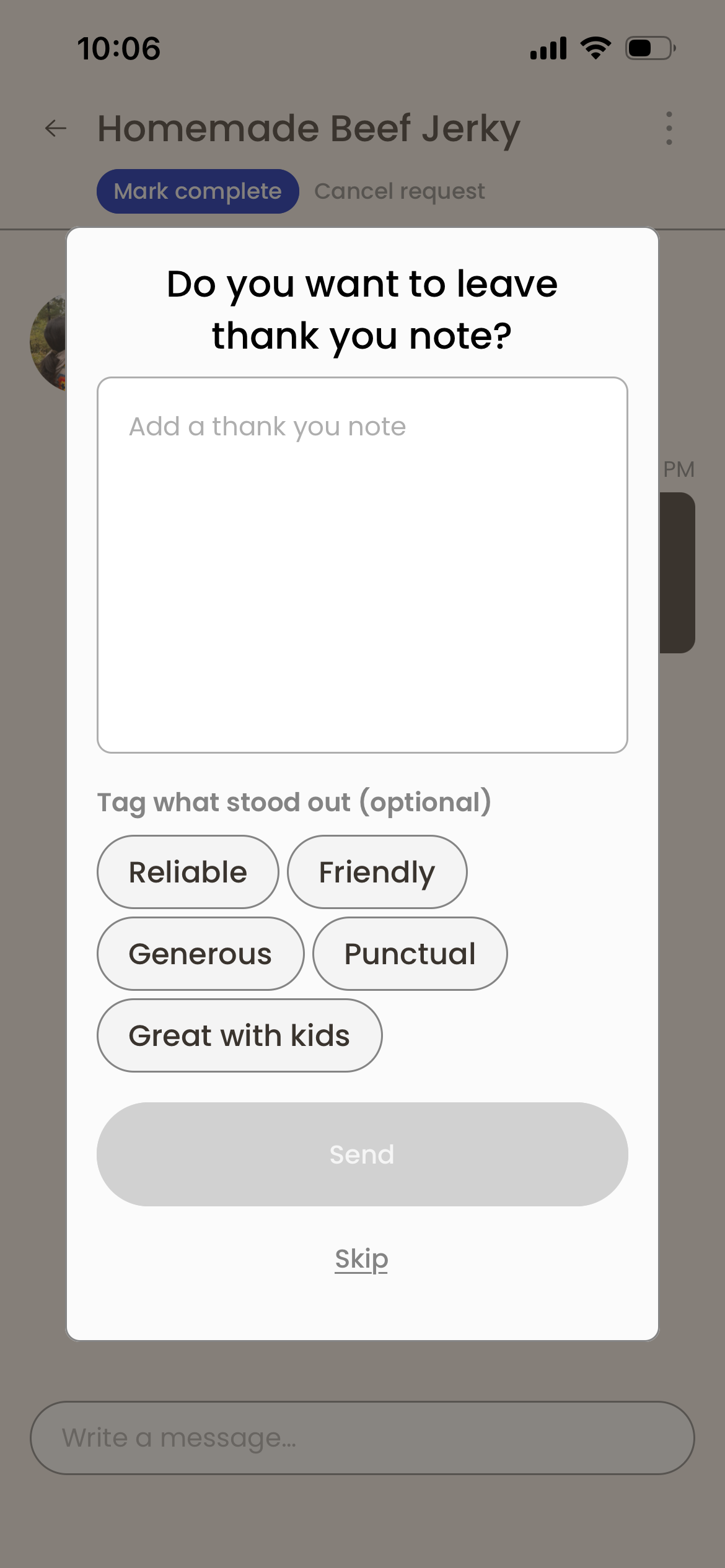
Owner confirms · thanks
Loop closes; thank-you note optional.
FAVOR · CHAT ACTIONS
01
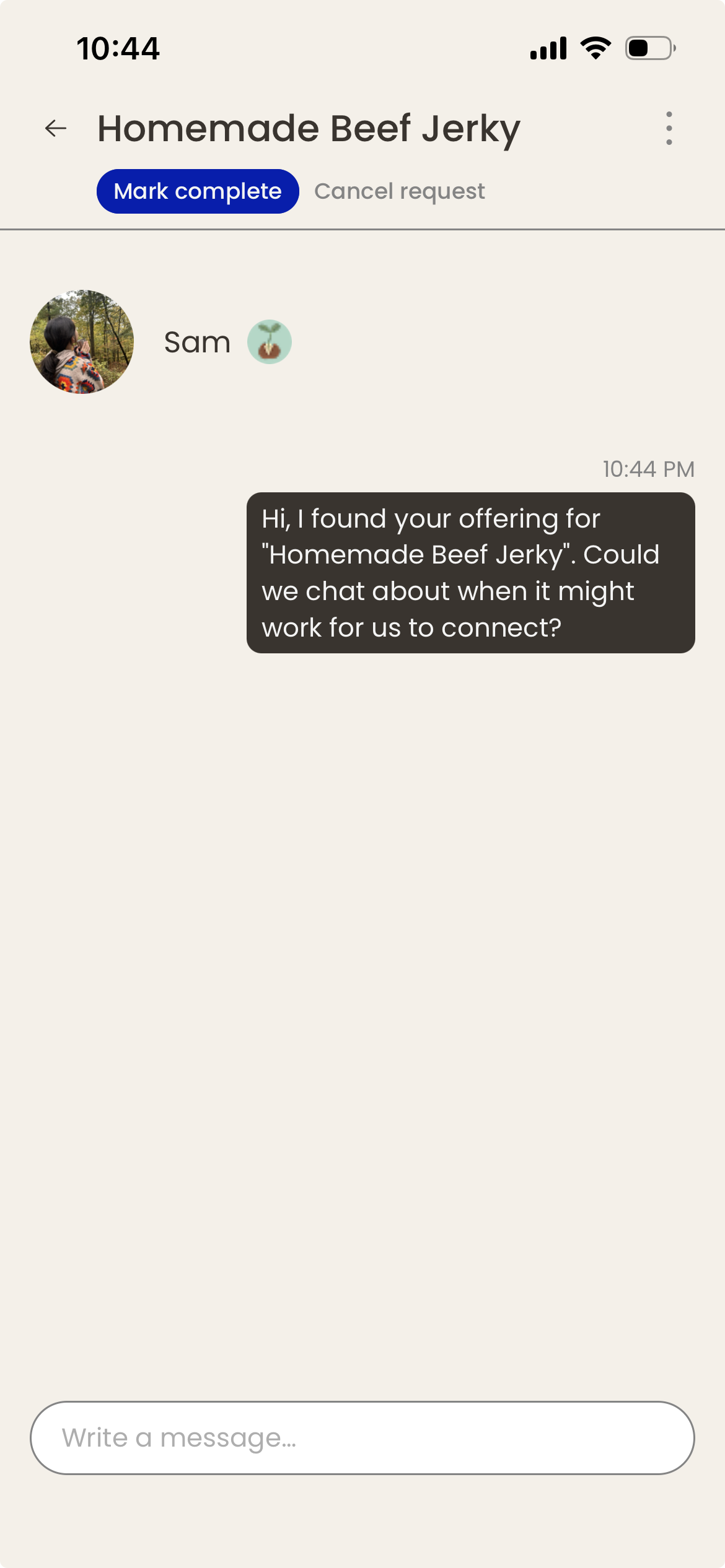
Offer or request favor
Offer side is the default.
02
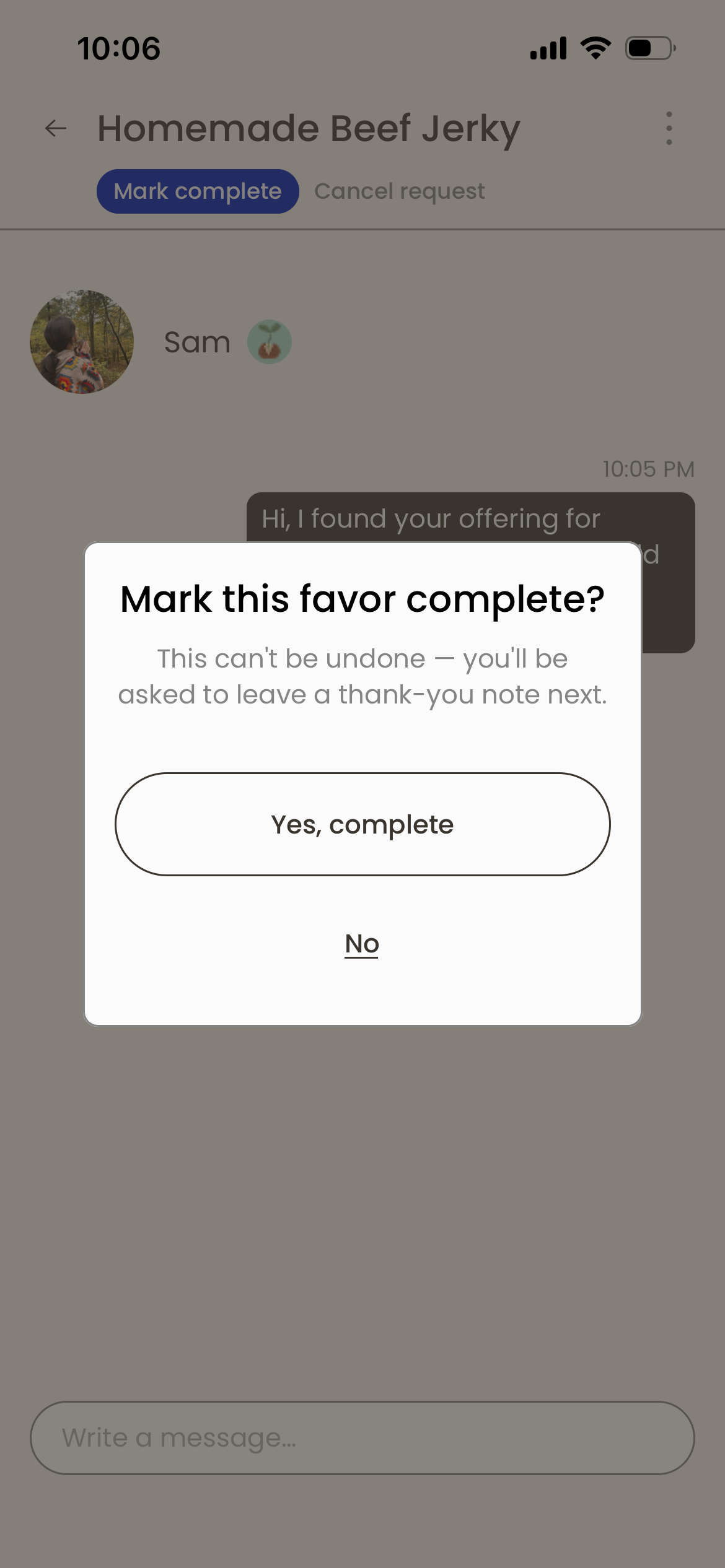
Favor exchanged
Time / place agreed in the thread.
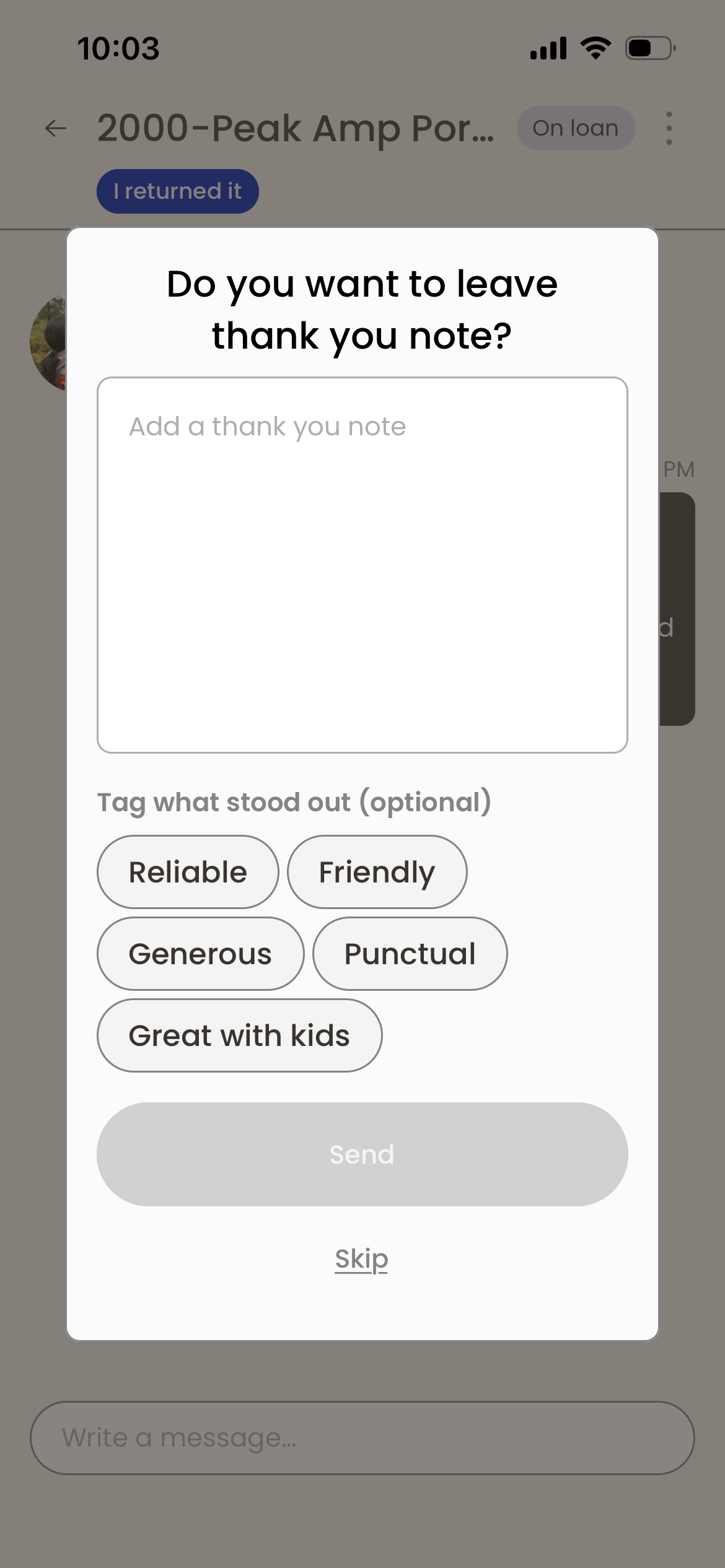
03
Marked complete · thanks
Thank-you note optional.
EVENT · CHAT ACTIONS
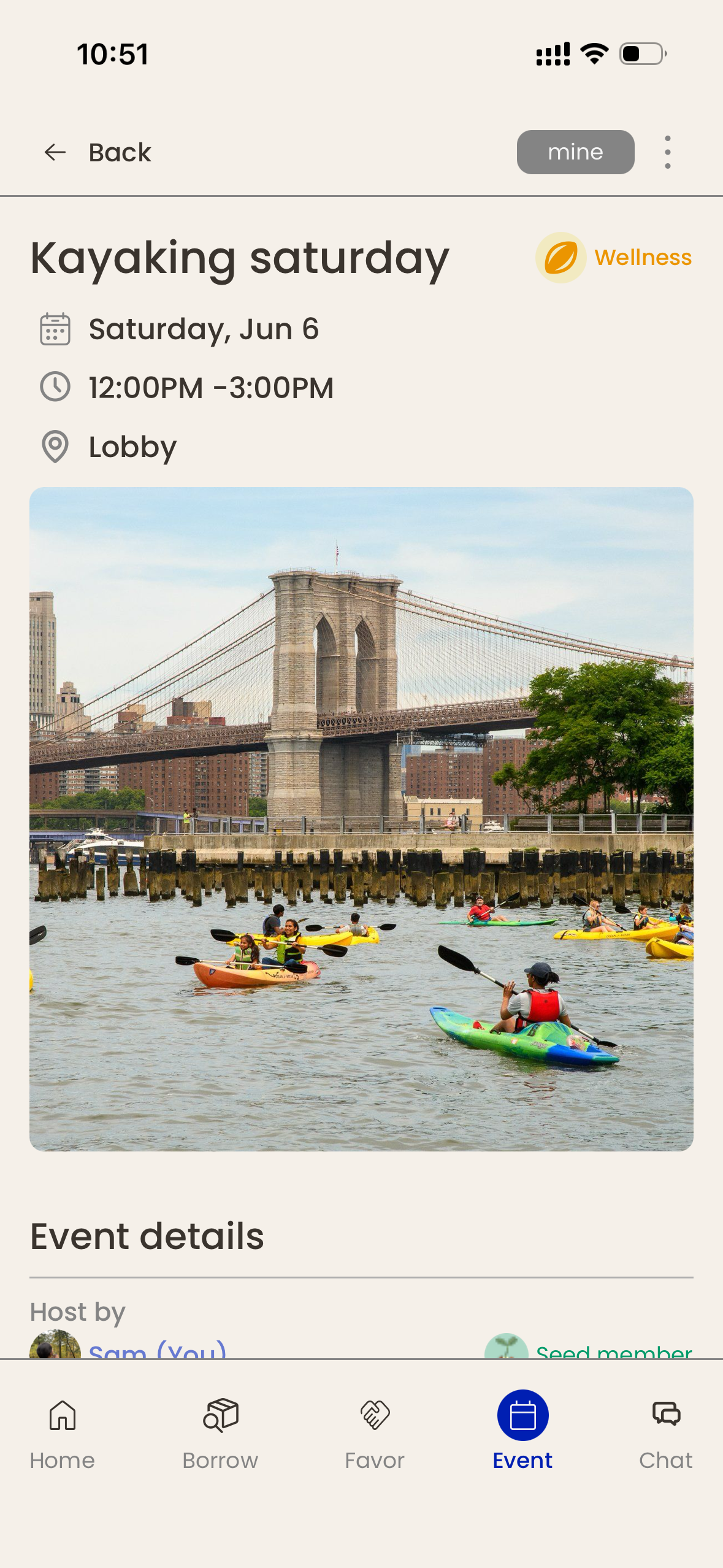
01
Event created
Host sets time, place, capacity.
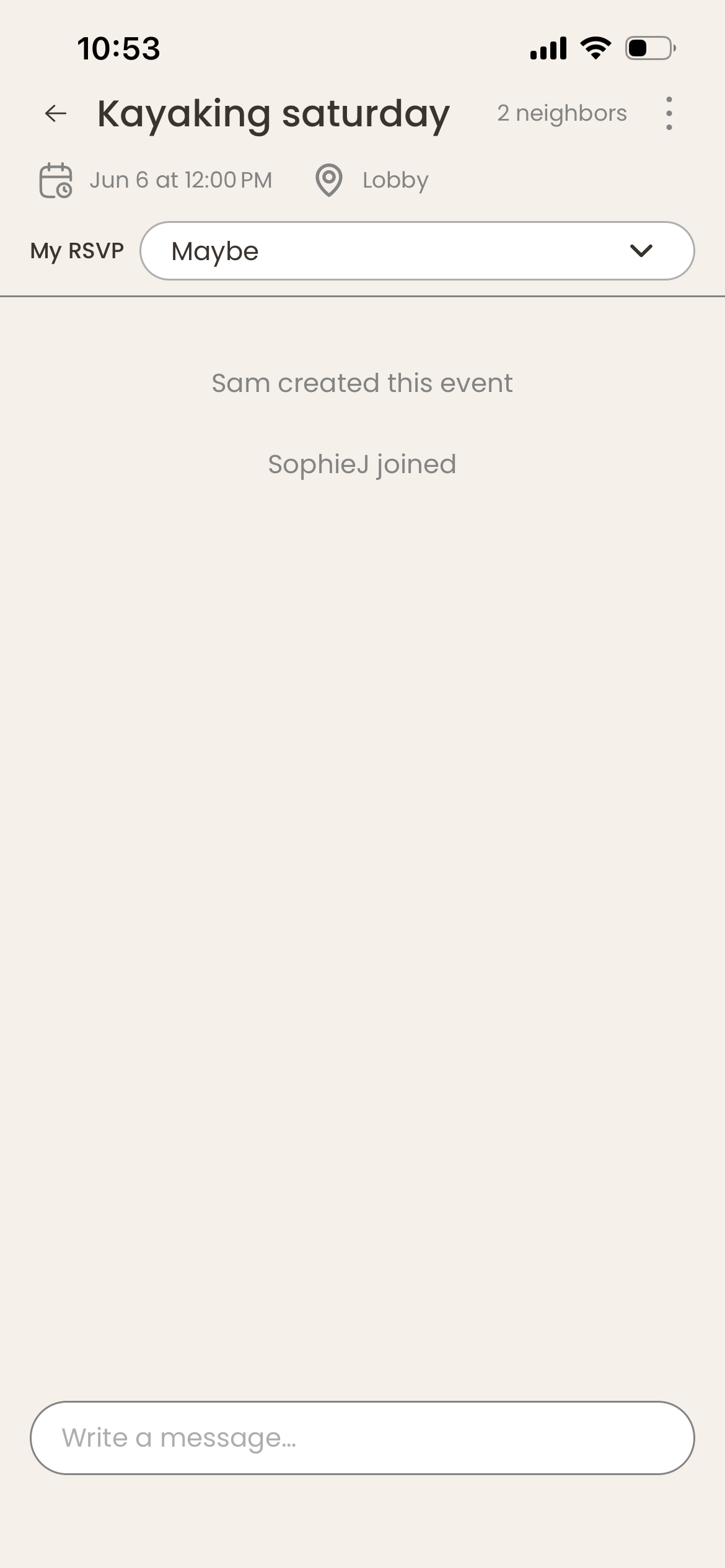
02
Chat opens
Event-scoped thread spins up so attendees can coordinate.
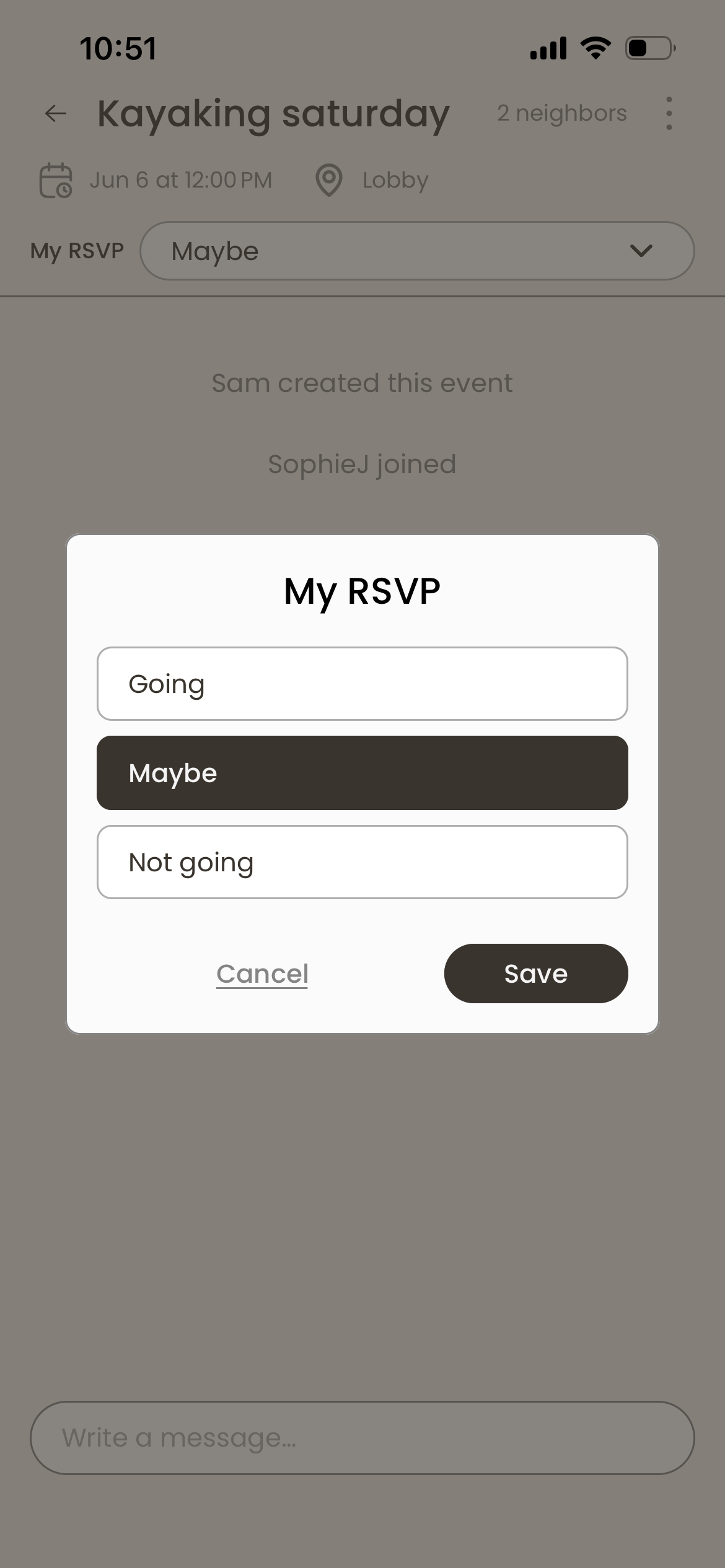
03
Neighbors RSVP
Joining surfaces inside the thread.
04
Event happens
Thread closes the morning after.
I couldn't read the vibe-coded backend well enough to trust it.
Frontend I knew. Backend was unfamiliar, so I let Claude vibe-code most of it. The problem: vibe coding writes a lot of code; reading it well enough to know what’s broken is its own skill. So I built a different kind of validation — user-story-mapped every interaction, turned each story into a Notion-table test row, then broke the backend on purpose with four phones racing to write to the same Firestore document. Test and fix in one pass.
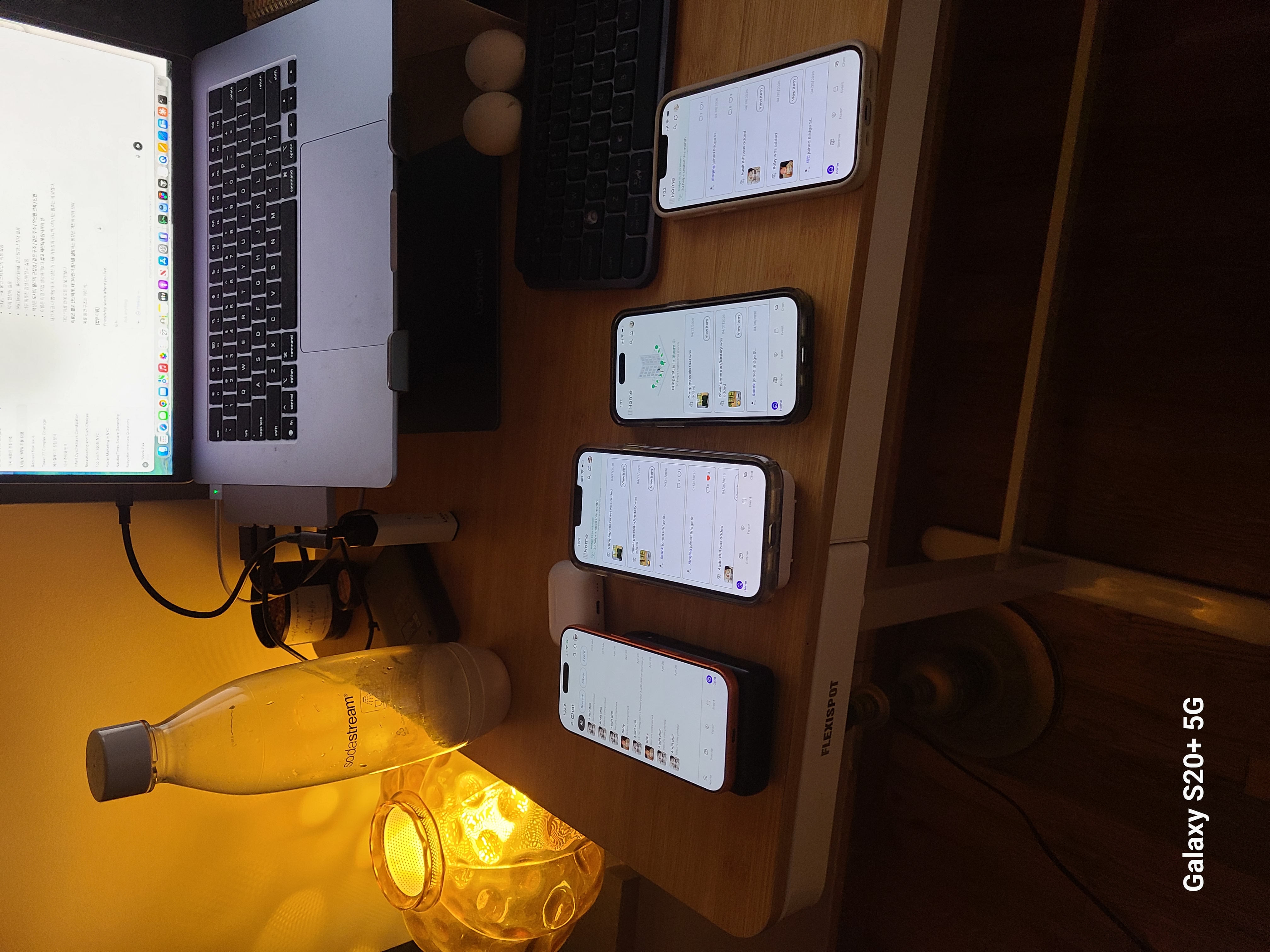
Backend stress test · 4 phones, 4 accounts, same building.
TECH STACK
- · React Native
- · Firebase
- · Firestore
- · Twilio
- · Apple Sign-In
- · Expo
DATA-SCHEMA BUILDING STRATEGY
- 01 User-story map of every interaction
- 02 Convert each story to a row in a Notion backend table
- 03 Translate each row to Firestore calls (Claude vibe-coded)
- 04 Stress-test with 4 phones racing the same document; fix what desyncs
How I kept neighbors part of the build, not the audience for it.
I didn’t want to disappear into a build and drop a finished app on my neighbors’ heads. So from week 1 — long before TestFlight existed — I sent two progress reports into the apt group chat (PDFs below) and capped the run with a personal demo walkthrough before launch.
Week 1 — research synthesis.
Week 2 — low-fi sharing + synthesis.
Final — personal walkthrough Short before launch.
Over the weeks, the response told me something. People liked the concept. But “app” itself triggered resistance — read as a monetization scheme, especially in a building where most owners had been there 8+ years and didn’t see what would change for them. Stable inner circles + small unit count meant the network effect couldn’t compound.
I’d built the right product for the wrong audience.
It's not the building owners who need this. It's the renters.
WHAT WAS WRONG
Stable owner-heavy buildings already had years of trust; they didn’t need scaffolding for it. The app couldn’t compound a network effect inside a pre-existing community.
HOW I SWITCHED
Pivoted to renter-heavy, 80+ unit, multi-elevator buildings — young professionals churning every 1–2 years. They never get the time owners had. The app gives it to them.
Audited 60+ buildings, picked 9 across 3 neighborhoods (LIC, Williamsburg, Greenpoint), and leafletted them by hand — taping flyers in elevators, lobbies, and mailrooms.
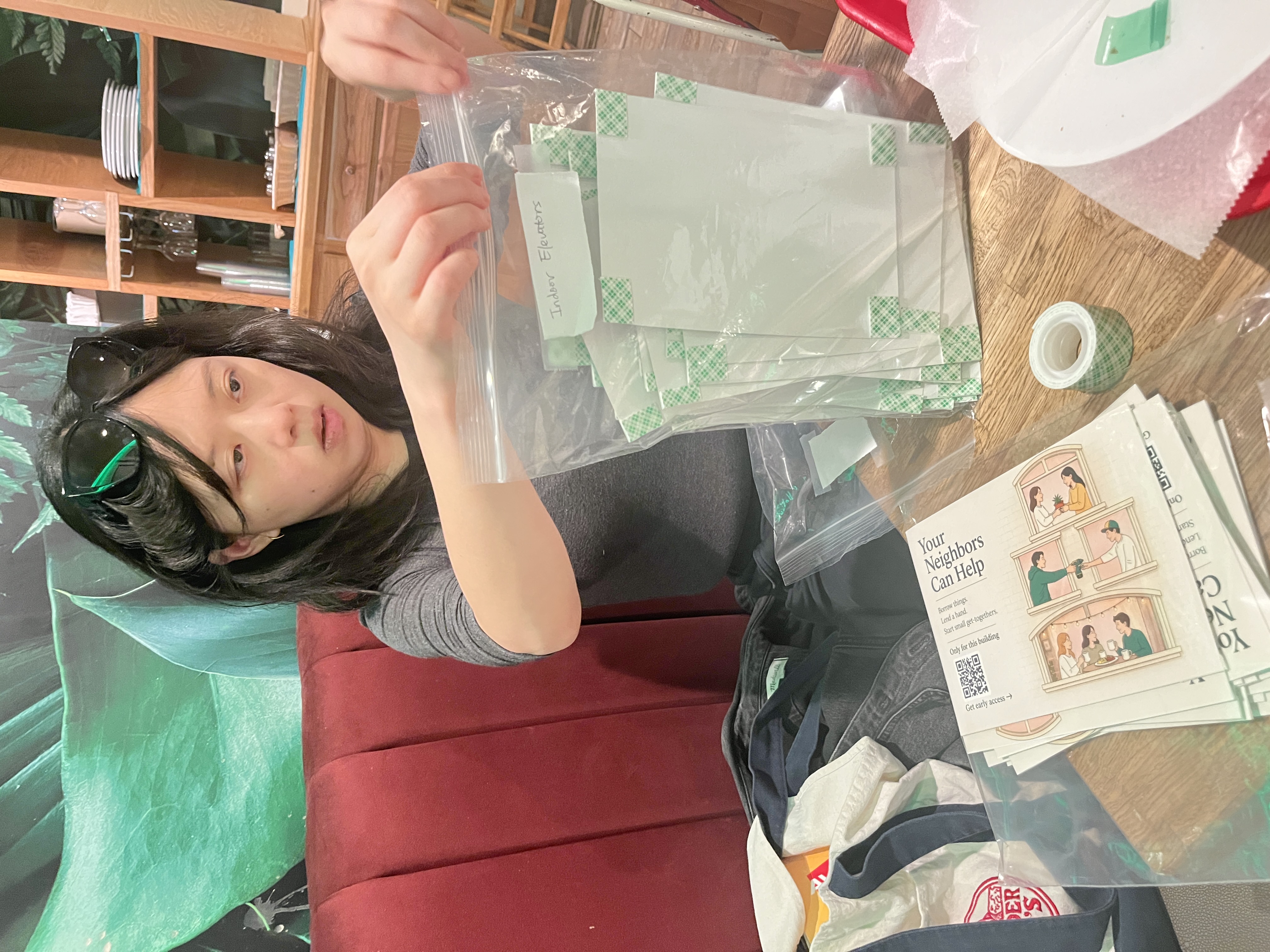
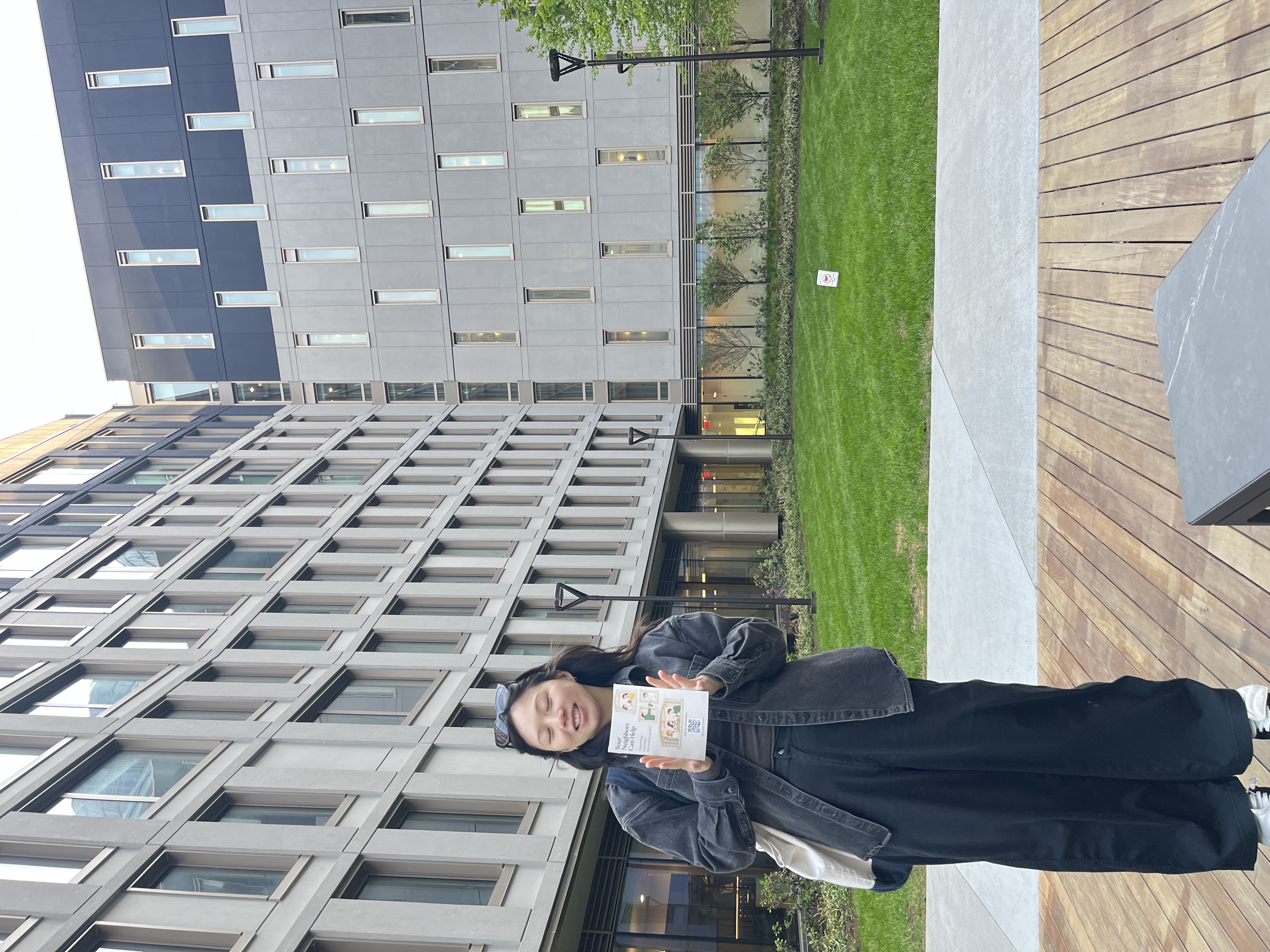
Greenpoint converted 88 of the 97 sign-ups. Tower 77 alone hit 10.2% — twice the next-best building. The channel learning was the surprise: 95 of 97 conversions came from elevators, not lobbies or mailrooms. People are alone, captive, and bored for 30 seconds in an elevator. That’s the QR scan window.
When the audience changed, the design changed.
Event categories shifted from kid / family-oriented(Kid drop-off, School pickup, Parents’ night out, Babysitting swap) to wellness / hobby (Wellness sessions, Hobby groups, Weeknight dinners). Same mechanics, rebuilt categories.
BEFORE · v1 family-oriented
- Kid drop-off
- School pickup
- Parents’ night out
- Babysitting swap
AFTER · v2 young-professional
- Wellness sessions
- Hobby groups
- Weeknight dinners
Full GTM breakdown — neighborhood selection, building audit, channel learnings → GTM page
What's next.
What I’d change: validate target segment, not just concept, before building.
- Verified user identity (post-MVP).
- Time-invested seed earning — effort-based karma.
- Greenpoint vs LIC community-affinity validation in next campaign.